
Let’s face it, most of us store dates in UTC and rely on the front end application to handle local time. Now you’ve been asked to produce a report across customers in different time zones. Starting SQL 2016, Microsoft introduced the option AT TIME ZONE, which produces a Date Time Offset return. A Date Time Offset contains, date, time and an offset part of the timezone related to UTC time.
For Example:
SELECT GETUTCDATE() AT TIME ZONE ‘Eastern Standard Time’
Returns
2019-12-17 01:27:21.713 -05:00
How to Use At Time Zone?
In order to use at the At Time Zone properly, you will need some basic understanding of DATEADD() and DATEPART() functions. Let’s go thru a small demo of a very a Simple implementation of TimeZone shifting dynamically.
Data: I’ve Created a very simple table with a CustomerID and an assigned Timezone. In a normal implementation this will be normalized with a TimezoneID referenced to a time zones table, but for this example will keep it very simple.
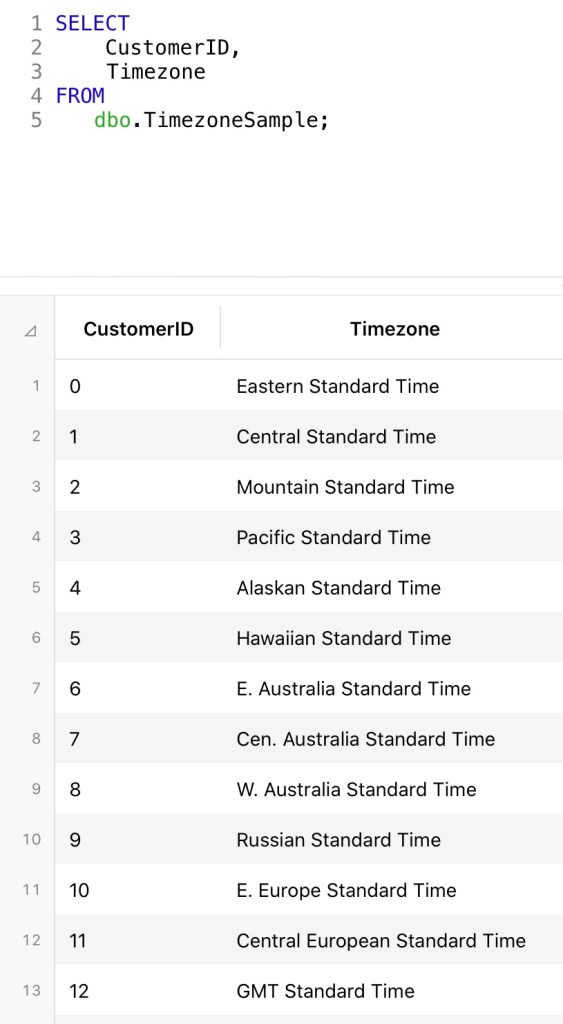
Now let’s calculate the current local time per each Timezone using AT TIME ZONE

By adding the AT TIME ZONE with the TimeZone column each row returns the date time offset corresponding to the Timezone. Now we can use the DATEPART() function to extract the offset and use it for the DATEADD() function to calculate the local time for each Timezone. By using DATEPART() function with the first argument as TZOFFSET, the offset portion of the date time offset field can be retrieved. This function will return the offset in minutes. Let’s see an example.

Now that we have retrieved the offset value in minutes, it can be combined with a DATEADD() function to return the local time. The basic Syntax of the DATEADD() function will be as follow:
DATEADD(Minute, DATEPART(TZOFFSET, GetUTCDate() AT TIME ZONE Timezone),GetUTCDate())
This will subtract or add the offset to the current UTC time and therefore return the local date time at the Timezone.

Wrap-Up
The AT TIME ZONE option combined with DATEPART() and DATEADD() functions can be a very helpful and powerful combination to obtain local time based on UTC and established time zones. A list of all available time zones is available by querying:
select * from sys.time_zone_info
The sys.time_zone_info table contains a column named is_currently_dst which indicates if the timezone is currently on Daylight Savings, therefore no custom calculations needed for daylight savings.
Hope you find this article helpful and I look forward to read your ideas and implementations of this option in the comments.

 SQL Insights